
SVN图形管理工具Submin
浏览量:2033
一、Submin介绍
Submin 提供了基于 Web浏览器的 Subversion 版本控制系统的管理接口,功能包括用户、用户组的管理、路径权限的设置以及创建新的资料库等等。兼容各种浏览器
二、环境配置
2.1 安装所需要的包
yum -y install httpd subversion mod_dav_svn subversion-python apr-util-sqlite apr-util
mod_dav_svn 是apache支持svn所需要用的model
aprutilsqlite 是apache支持sqlite数据库所需要用的model
2.2 安装submin
wget http://supermind.nl/submin/current/submin-2.2.1-1.tar.gz
tar xf submin-2.2.1-1.tar.gz
cd submin-2.2.1-1
python setup.py install
2.3 验证安装
submin2-admin Submin

2.4 配置submin
submin2-admin /usr/local/submin/ initenv 992747643@qq.com
邮箱很重要, submin会将管理员设置初始口令的链接发到这邮箱中,/usr/local/submin这个目录不要提前建,安装命令的向导一步步设置就可以了,说明很清楚.
Submin can enable features for you automatically. Please answer which features
you want to enable. You can choose to enable: 'svn', 'git', 'trac', 'apache'
and 'nginx'.

Which features do you want to enable? [svn, git, apache, nginx]> svn,apache

Please provide a location for the Subversion repositories. For new Subversion
repositories, the default setting is ok. If the path is not absolute, it will
be relative to the submin environment. If you want to use an existing
repository, please provide the full pathname to the Subversion parent
directory (ie. /var/lib/svn).

Path to the repository? [svn]> /opt/svn/

Please provide a hostname that can be used to reach the web interface. This
hostname will be used in communication to the user (a link in email, links
in the web interface). The hostname should be a FQDN, so instead of 'foo' it
should be 'foo.example.com'. Please correct if the default is incorrect.

Hostname? [SVN]> 192.168.56.11

The HTTP path tells Submin where the website is located relative to the root.
This is needed for proper working of the website. Submin will be accesible
from <http base>/submin, Subversion will be accessible from <http base>/svn.
If you use Trac, it will be accessible from <http base>/trac.

HTTP base? [/]>

Submin will send emails for password resets and for commit message (if
enabled). You can set the sender email address that Submin will use. The
default might work in some places, but not all.

Email from envelope? [Submin <root@SVN>]> 992747643@qq.com
注意:设置svn目录时
设置svn库的路径,默认的是在/var/lib/svn 我设置在/opt/svn
这个目录一定要让apache有写入权限,否则就会有问题。因为http是apache用户启动的,所以需要设置为
chown -R apache.apache /opt/svn
2.5 生成Apache配置文件
submin可以直接生成apache的配置文件,我们可以直接拿来使用,避免了自己配置出现问题。
submin2-admin /usr/local/submin/ apacheconf create all
建立软链接配置apache,注意Apache版本
ln -fs /usr/local/submin/conf/apache-2.4-webui-cgi.conf /etc/httpd/conf.d/
ln -fs /usr/local/submin/conf/apache-2.4-svn.conf /etc/httpd/conf.d/
cat /usr/local/submin/conf/apache-svn.conf >>/etc/httpd/conf.d/subversion.conf
症断submin
submin2-admin /usr/local/submin/ diagnostics
关闭Git支持
submin2-admin /usr/local/submin config set vcs_plugins svn
重启服务:
systemctl restart httpd
三、邮箱支持
Submin可以支持通过smtp来发送邮件,也可以用本地的postfix来发送。管理员邮箱在配置submin的时候我们已经设置过了。
Submin是通过/usr/lib/python2.7/site-packages/submin/email/fallback.py来发送邮件
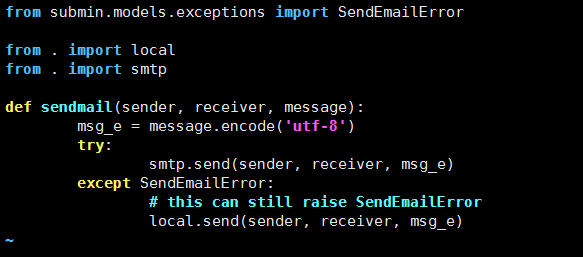
首先是通过SMTP来发送,如果发送失败,则通过本地的sendmail
3.1 SMTP配置
submin2-admin /opt/submin  config set smtp_hostname  smtp.exmail.qq.com
submin2-admin /opt/submin  config set smtp_port 25
submin2-admin /opt/submin  config set smtp_username 992747643@qq.com
submin2-admin /opt/submin  config set smtp_password  *****
submin2-admin /opt/submin  config set smtp_from "svn <992747643@qq.com>"
submin2-admin /opt/submin  config set commit_email_from "svn <992747643@qq.com>"
3.2 配置sendmail(可选)
yum install sendmail sendmail-cf  -y
ps aux |grep sendmail
cd /etc/mail
mv sendmail.cf sendmail.cf.bak
m4 sendmail.mc > sendmail.cf
echo "xxxxxxx" |mail -s Test 992747643@qq.com
3.3 修改密码
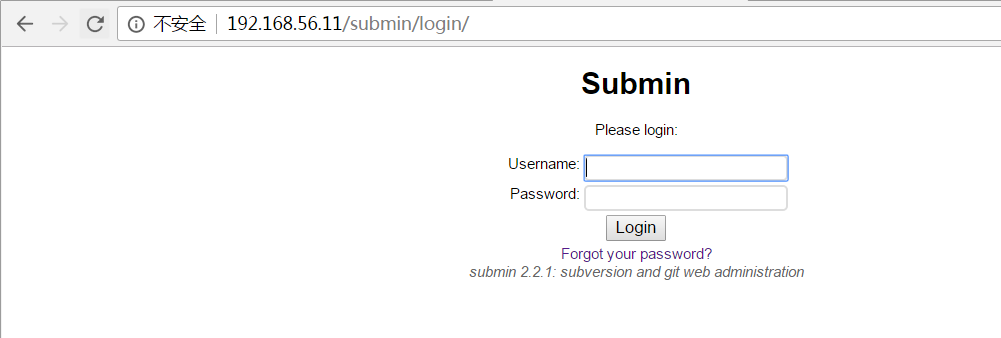
点击 Forgot your password
输入admin,点击Reset,邮箱将会受到密码重置邮件

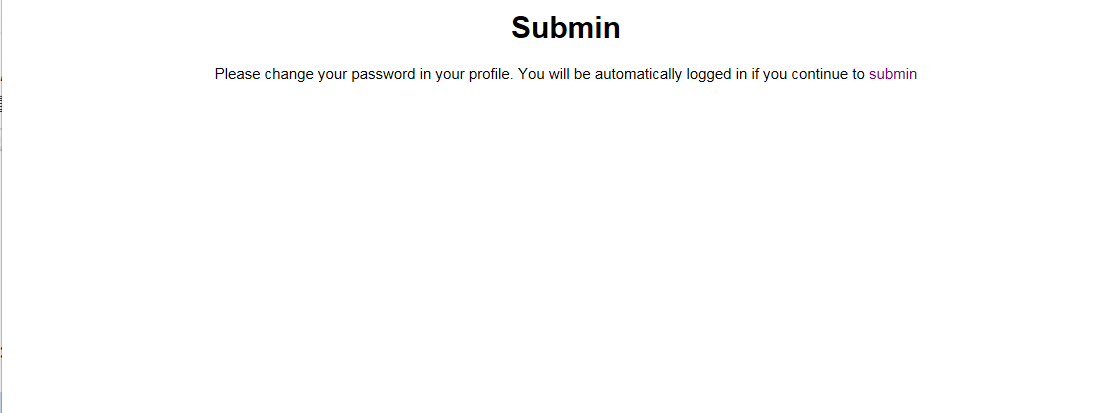
稍后,该邮箱即会收到重置邮件,点击链接重置即可
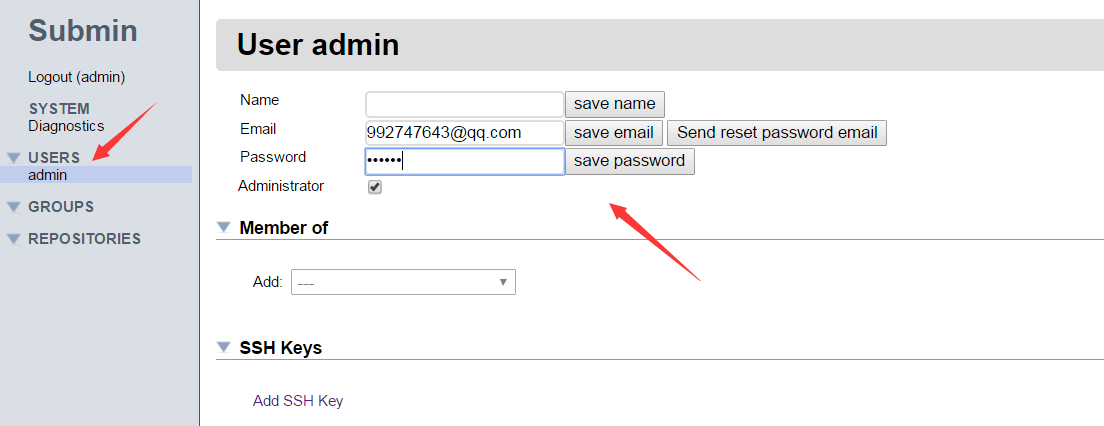
点击重置邮件进入系统,点击admin菜单进入用户设置界面,修改密码
注意:password密码要输入两次,第一次是设置,第二次是保存
四、创建版本库及授权
4.1 创建版本库
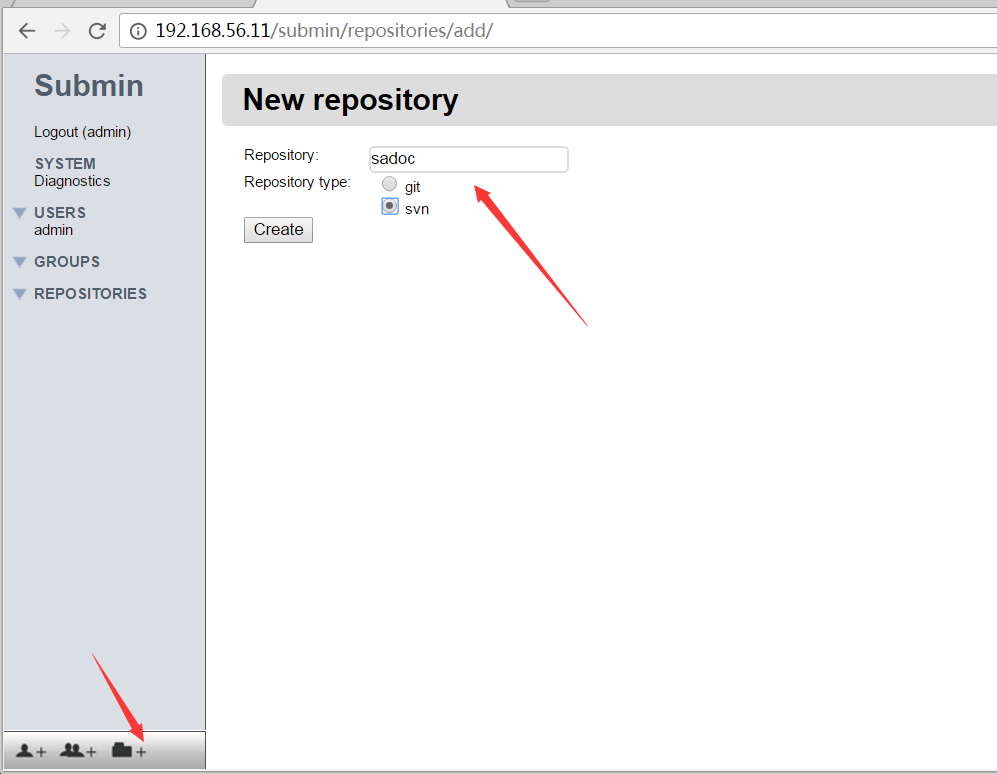
点击左侧菜单右下角的新建仓库按钮 ,输入名称,选择svn创建仓库
4.2 授权
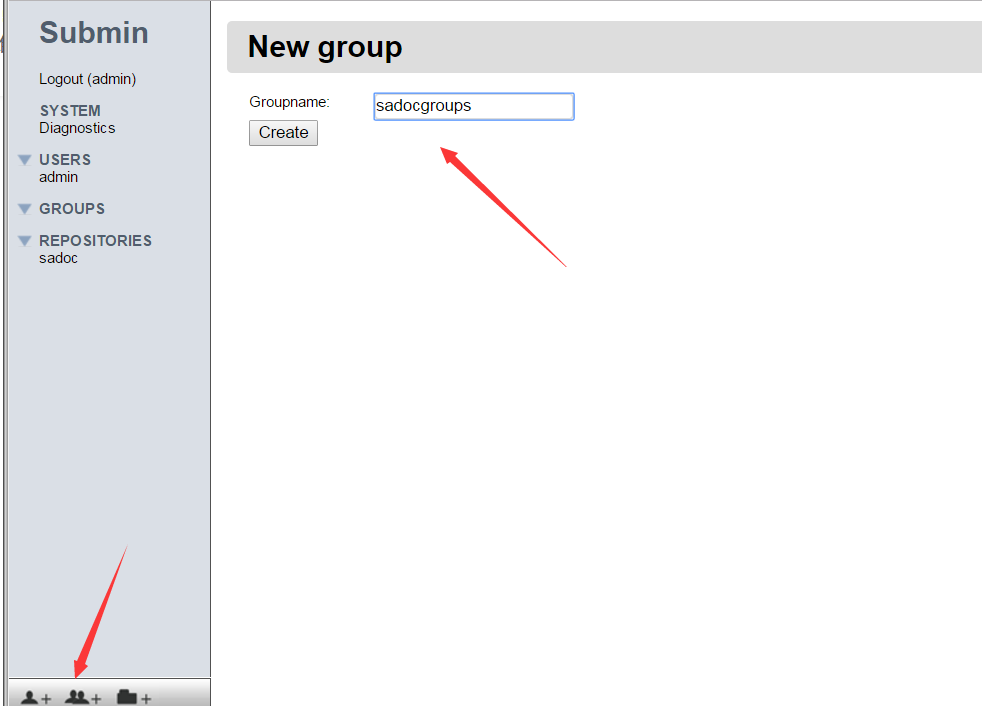
点击左侧菜单最下面中间两个人的按钮,新建组
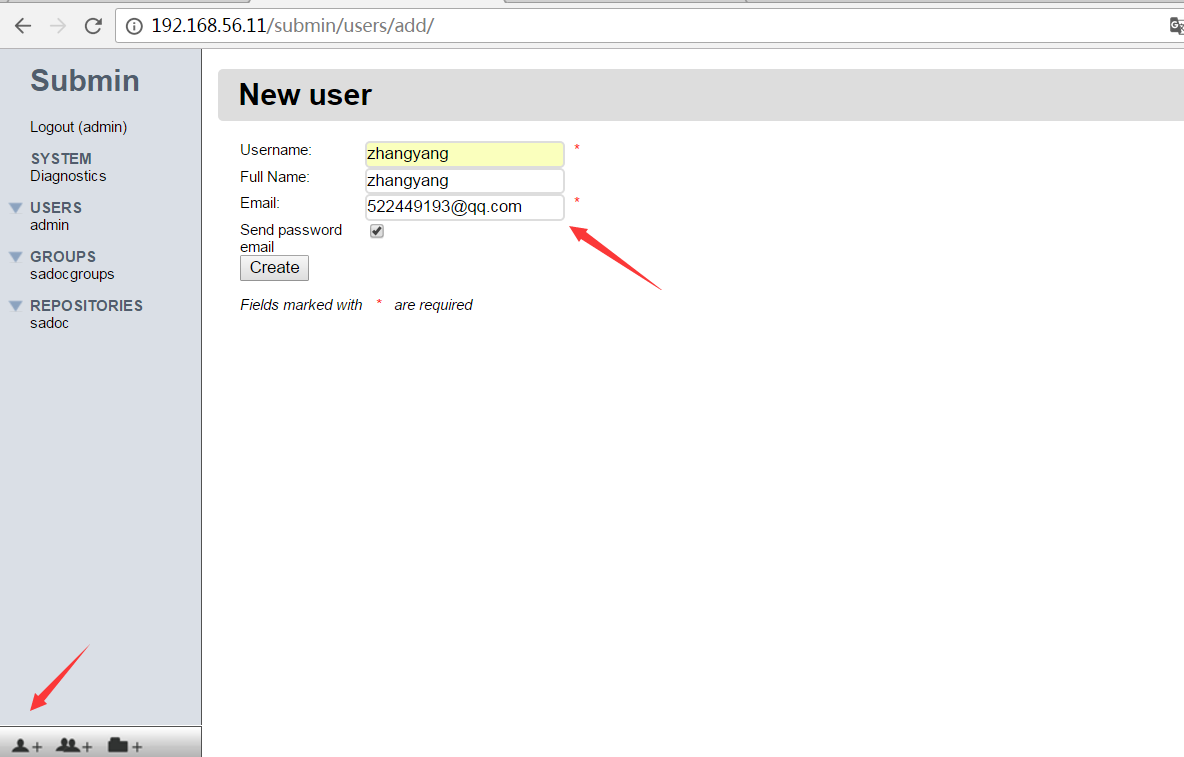
点击左侧菜单最下面的左侧一个人的按钮,新建用户
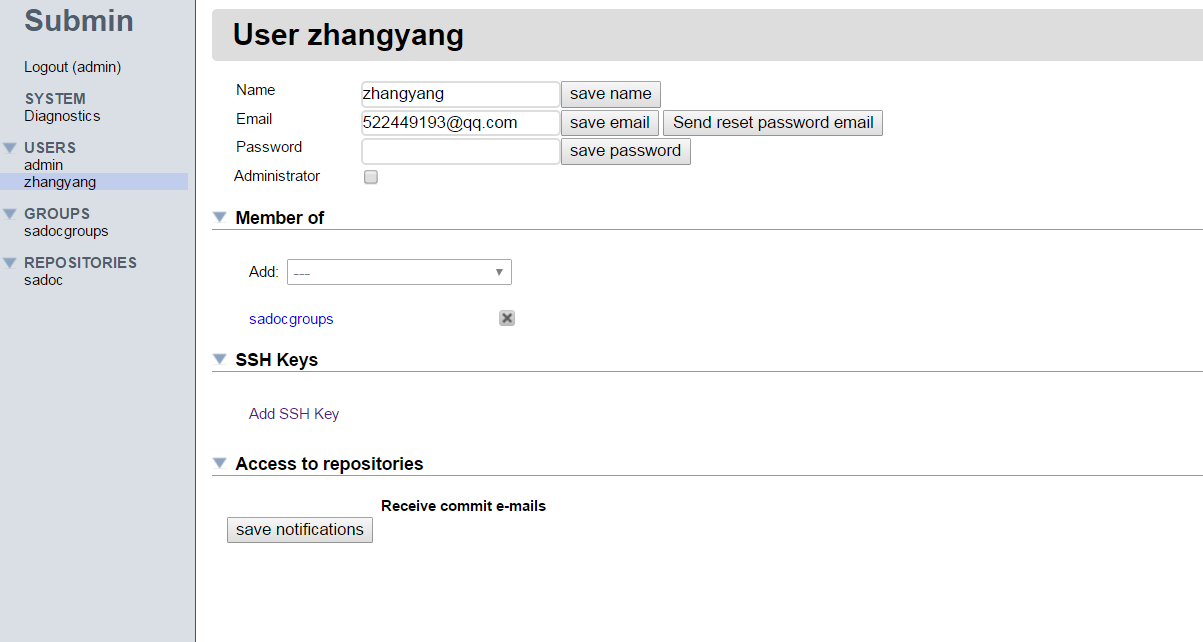
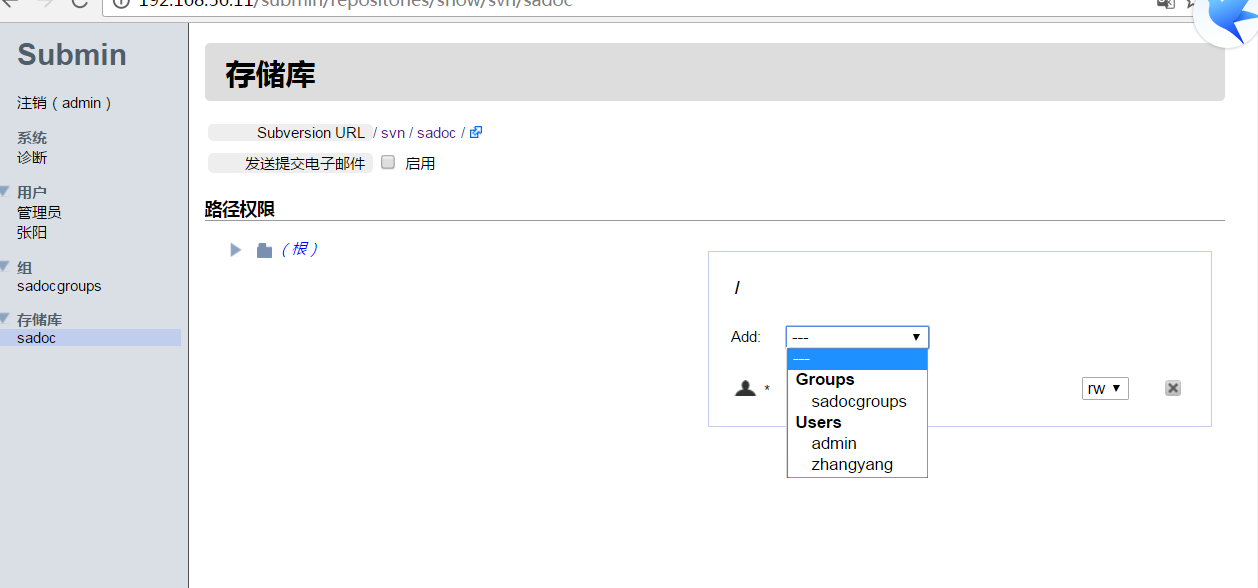
新建完成用户后,用户会收到密码重置邮件,同时系统进入修改用户信息页面,可以将用户添加到sadocgroups组
设置权限,点击左侧需要授权的仓库按钮
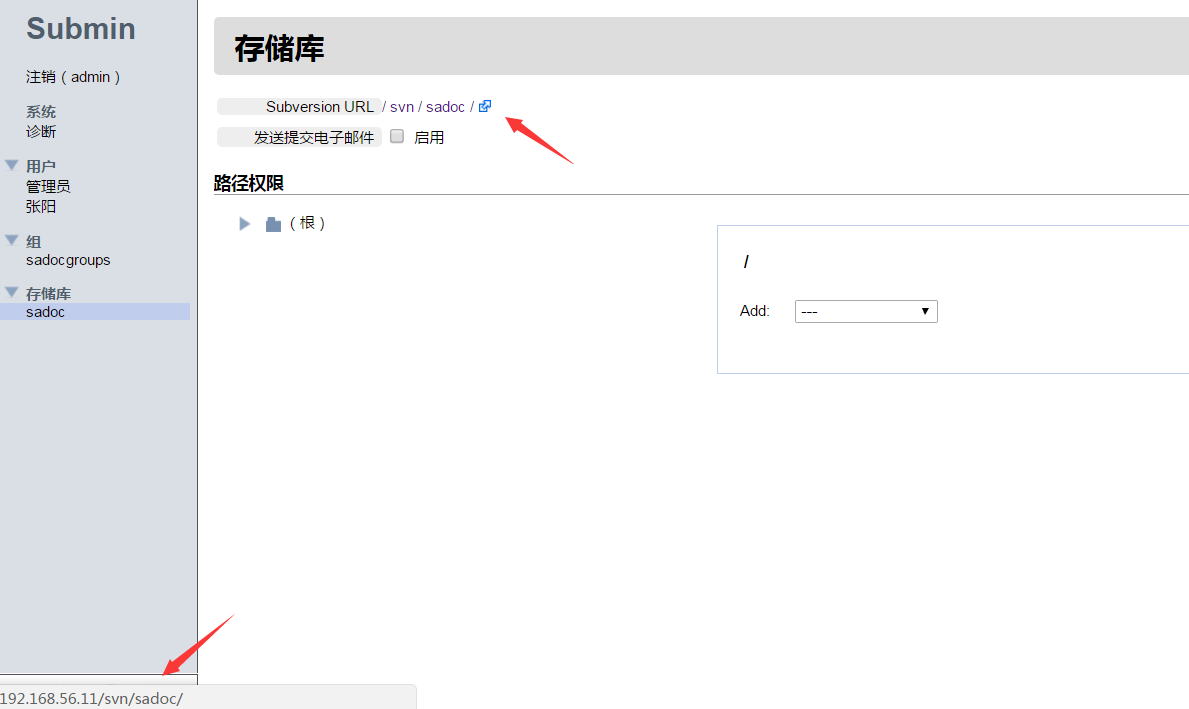 鼠标放在URL上左下角会出现svn仓库完整地址
这个地址可以使用浏览器访问。认证的账户密码就是SVN账户密码
4.3 svn客户端测试
submin是基于http协议对SVN仓库进行管理的,所以SVN仓库地址也是使用HTTP协议而不在使用 svn协议。
所以SVN仓库应该是http:/localhost/svndir 而不再是svn://localhost/svndir
参考:点击进入
附件:

神回复
发表评论:
◎欢迎参与讨论,请在这里发表您的看法、交流您的观点。