
Gitlab pages returning 502 Bad Gateway
浏览量:1094
将pages_external_url添加到/etc/gitlab/gitlab.rb并重新配置,只用一个索引文件创建一个简单的测试项目,在页面url上获得502错误
重现步骤
$ vim /etc/gitlab/gitlab.rb
pages_external_url'http://iopst.cn/'
$ sudo gitlab-ctl reconfigure
日志
2019/04/22 21:01:18 GitLab Pages Daemon 0.3.1 (c13e845)
2019/04/22 21:01:18 URL: https://gitlab.com/gitlab-org/gitlab-pages
2019/04/22 21:01:18 Running the daemon as unprivileged user (uid:1000, gid: 1000)...
2019/04/22 21:01:18 Starting the daemon as unprivileged user (uid: 1000, gid: 1000)...
2019/04/22 21:01:18 failed to listen on FD 5: file file+net [socket]: getsockopt: socket operation on non-socket
2019/04/22 21:01:18 exit status 1
lsof -i :8090 没有返回结果
配置
more /var/opt/gitlab/nginx/conf/gitlab-pages.conf
# This file is managed by gitlab-ctl. Manual changes will be
# erased! To change the contents below, edit /etc/gitlab/gitlab.rb
# and run `sudo gitlab-ctl reconfigure`.

## Lines starting with two hashes (##) are comments with information.
## Lines starting with one hash (#) are configuration parameters that can be uncommented.
##
###################################
##         configuration         ##
###################################


server {
  listen *:80;
  server_name  ~^(?<group>.*)\.my\.url$;
  server_tokens off; ## Don't show the nginx version number, a security best practice

  ## Disable symlink traversal
  disable_symlinks on;


  ## Individual nginx logs for this GitLab vhost
  access_log  /var/log/gitlab/nginx/gitlab_pages_access.log gitlab_access;
  error_log   /var/log/gitlab/nginx/gitlab_pages_error.log;

  # Pass everything to pages daemon
  location / {
    proxy_set_header Host $http_host;
    proxy_set_header X-Real-IP $remote_addr;
    proxy_set_header X-Forwarded-For $proxy_add_x_forwarded_for;
    proxy_set_header X-Forwarded-Proto http;

    proxy_pass          http://localhost:8090;
  }

  # Define custom error pages
  error_page 403 /403.html;
  error_page 404 /404.html;


}
解决方法
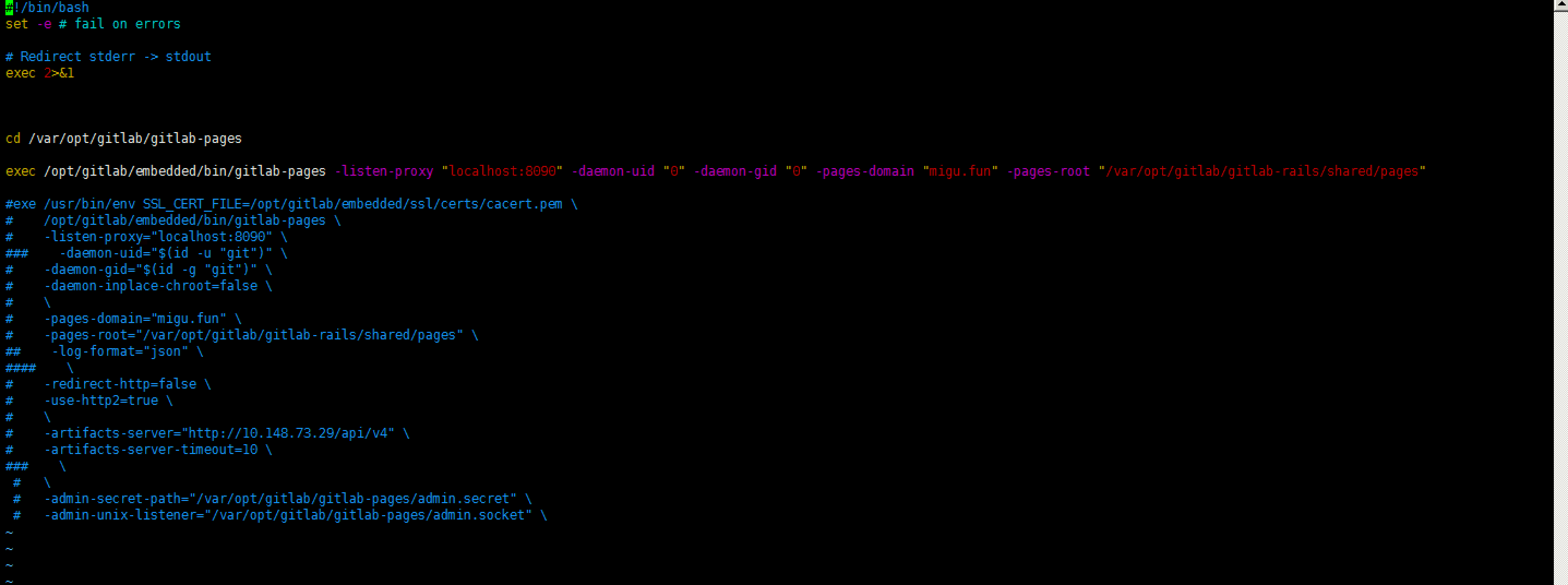
编辑 /opt/gitlab/sv/gitlab-pages/run
$ vim /opt/gitlab/sv/gitlab-pages/run
#!/bin/bash
set -e # fail on errors

# Redirect stderr -> stdout
exec 2>&1


cd /var/opt/gitlab/gitlab-pages

exec /opt/gitlab/embedded/bin/gitlab-pages -listen-proxy "localhost:8090" -daemon-uid "0" -daemon-gid "0" -pages-domain "iopst.cn" -pages-root "/var/opt/gitlab/gitlab-rails/shared/pages"
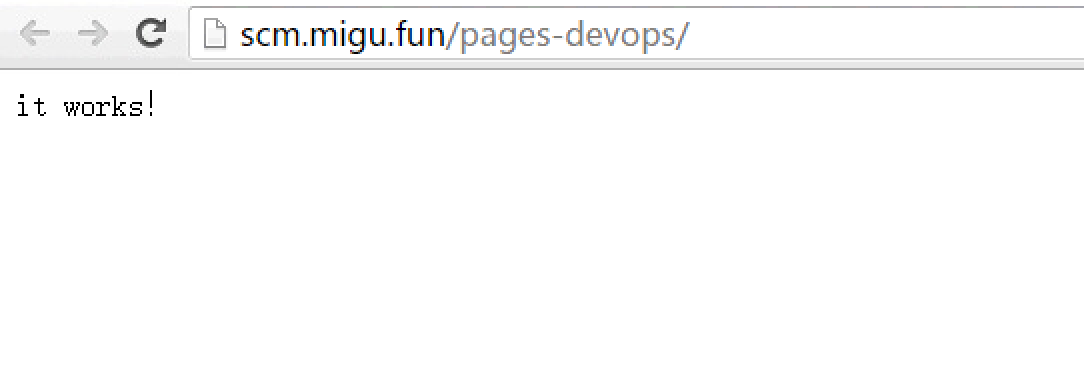
重启gitlab即可
gitlab-ctl restart
神回复
发表评论:
◎欢迎参与讨论,请在这里发表您的看法、交流您的观点。