
Jenkins发布PHP代码
浏览量:1200
其实,PHP发布代码很简单,不像java发布需要编译,无非就是远程执行一个脚本或者用git、SVN等版本工具进行代码更新,这里我们我们介绍远程执行,至于更新脚本每个公司更新方式不一样,我们就不做过多的介绍。
首先,我们来了解一下这个Jenkins代码构建发布的流程:
1、我们准备两台机器分别为:
linu-node1 192.168.56.11 应用服务器
linu-node2 192.168.56.12 Jenkins和代码发布机
2、免密认证
[root@linux-node1 .ssh]# ssh-keygen
Generating public/private rsa key pair.


Enter file in which to save the key (/root/.ssh/id_rsa): Enter passphrase (empty for no passphrase):
Enter same passphrase again:
Your identification has been saved in /root/.ssh/id_rsa.
Your public key has been saved in /root/.ssh/id_rsa.pub.
The key fingerprint is:
13:b9:5d:d4:58:a1:51:ae:80:3b:f8:91:75:a4:2a:7f root@linux-node1
The key's randomart image is:
+--[ RSA 2048]----+
|            +=+. |
|         o +.+.  |
|        + + + .  |
|       . O + .   |
|      o S . .    |
|       + +       |
|        o E      |
|         .       |
|                 |
+-----------------+
[root@linux-node1 .ssh]# ssh-copy-id -i id_rsa.pub -p 22  root@192.168.56.12
[root@linux-node1 .ssh]# ssh 192.168.56.12
Last login: Sun May 14 18:12:36 2017 from 192.168.56.1


[root@linux-node2 .ssh]# ssh-keygen
Generating public/private rsa key pair.

Enter file in which to save the key (/root/.ssh/id_rsa): Enter passphrase (empty for no passphrase):
Enter same passphrase again:
Your identification has been saved in /root/.ssh/id_rsa.
Your public key has been saved in /root/.ssh/id_rsa.pub.
The key fingerprint is:
0e:db:bd:64:59:11:c7:56:9b:4d:ad:ec:cb:5f:7c:ac root@linux-node2
The key's randomart image is:
+--[ RSA 2048]----+
|            ....+|
|             oo.=|
|            .o +.|
|             .o  |
|      . S   ..   |
|       = . o  .o |
|      . o =  . .=|
|         o .  o.o|
|          .   E..|
+-----------------+

[root@linux-node2 .ssh]# ssh 192.168.56.11
Last login: Sun May 14 18:10:42 2017 from 192.168.56.1
[root@linux-node1 ~]#
3.模拟创建代码
[root@linux-node2 ~]# mkdir /data/php_code -p
[root@linux-node2 ~]# cd /data/php_code/
[root@linux-node2 php_code]# echo 'echo "ok"'> test.sh
[root@linux-node2 php_code]# cat test.sh
echo "ok"
[root@linux-node2 php_code]# chmod +x test.sh
需求:将linux-node2 /data/php_code/下的文件拷贝到linux-node1的/root/下执行
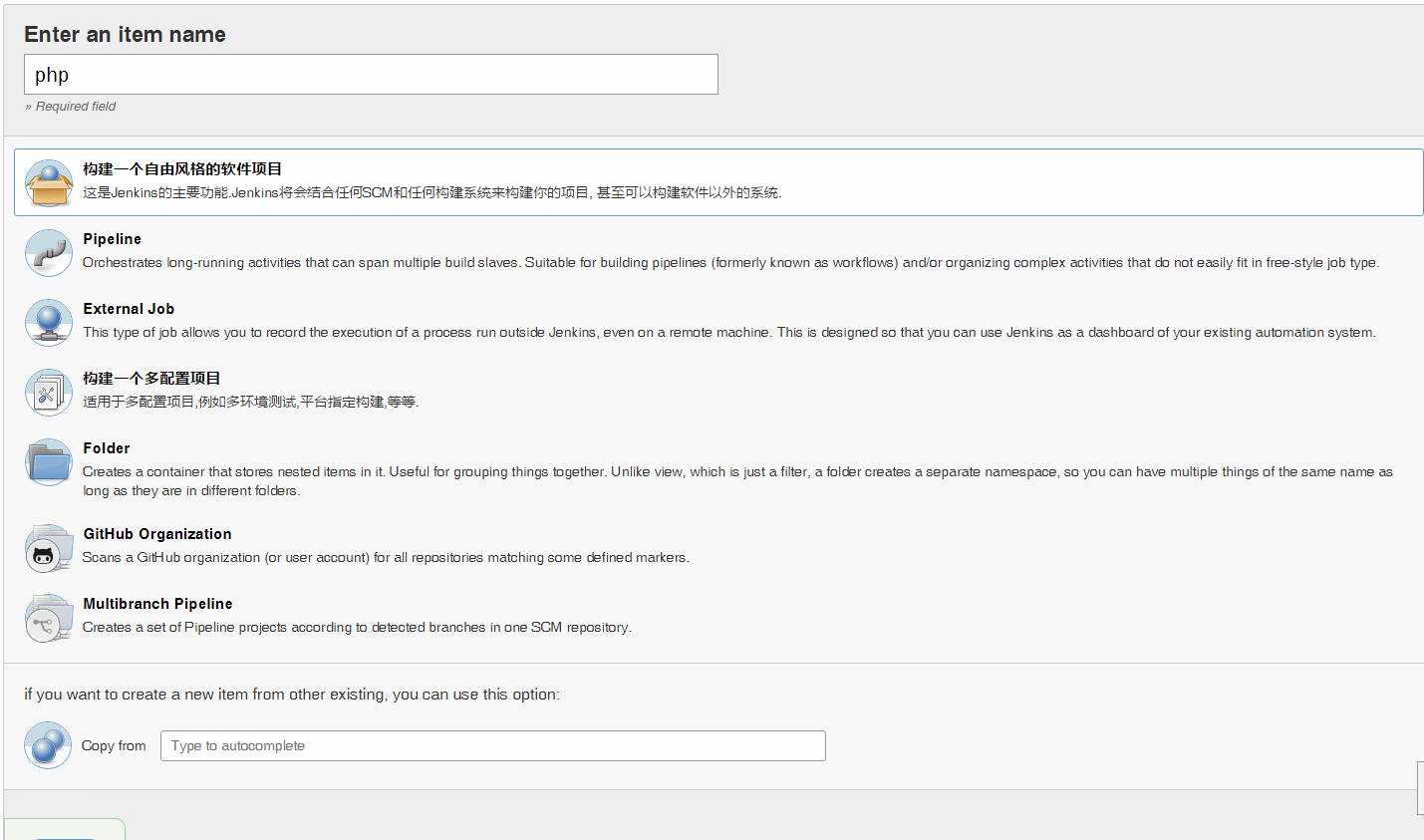
1、构建一个自由风格的软件项目
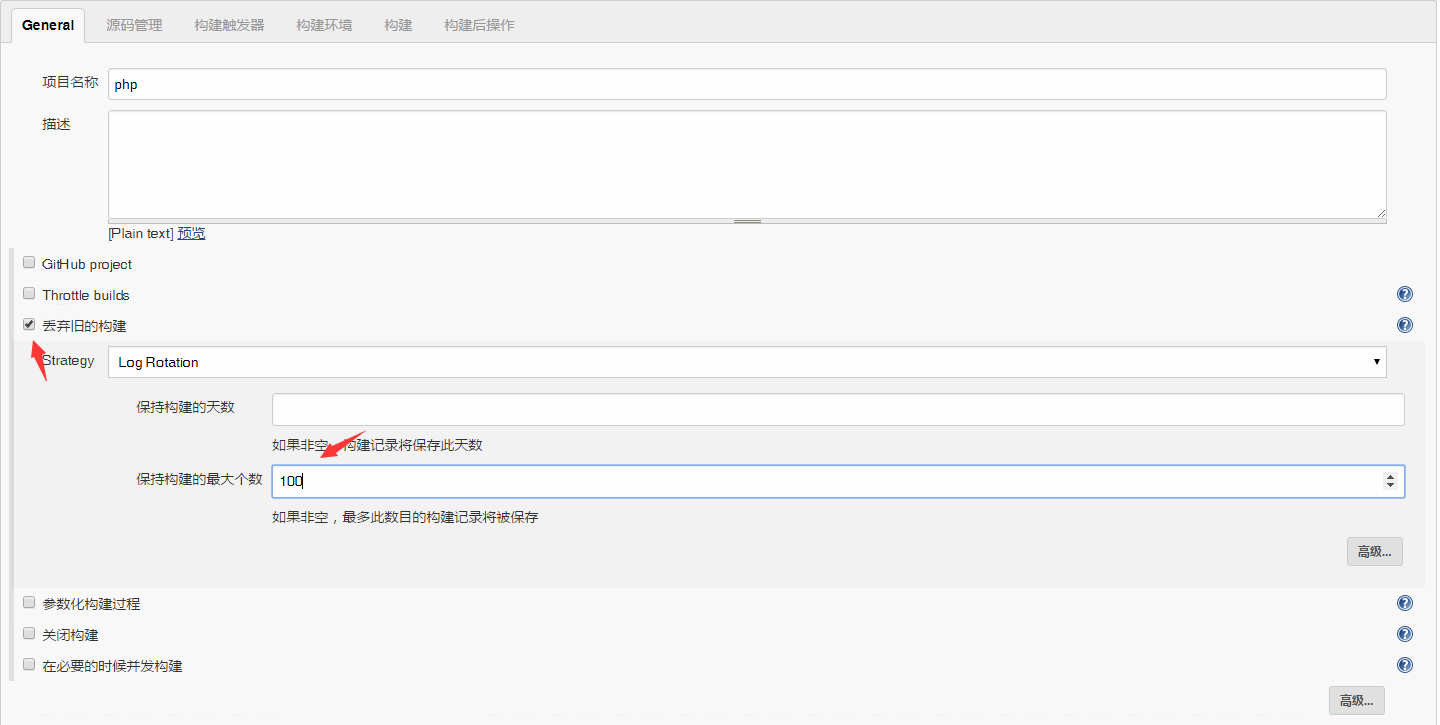
选择构建数目保留天数
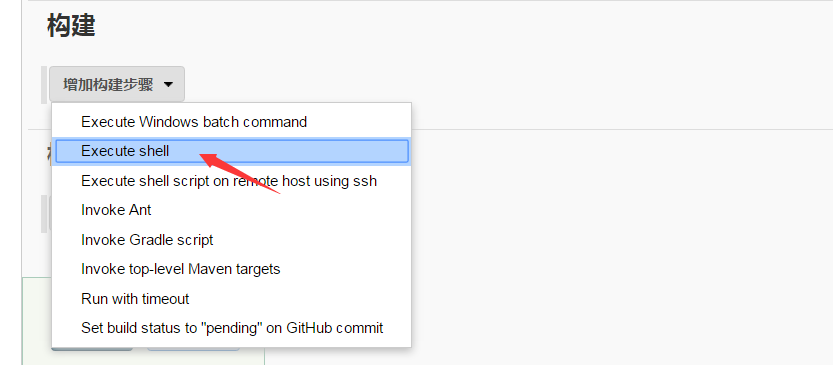
增加构建步骤
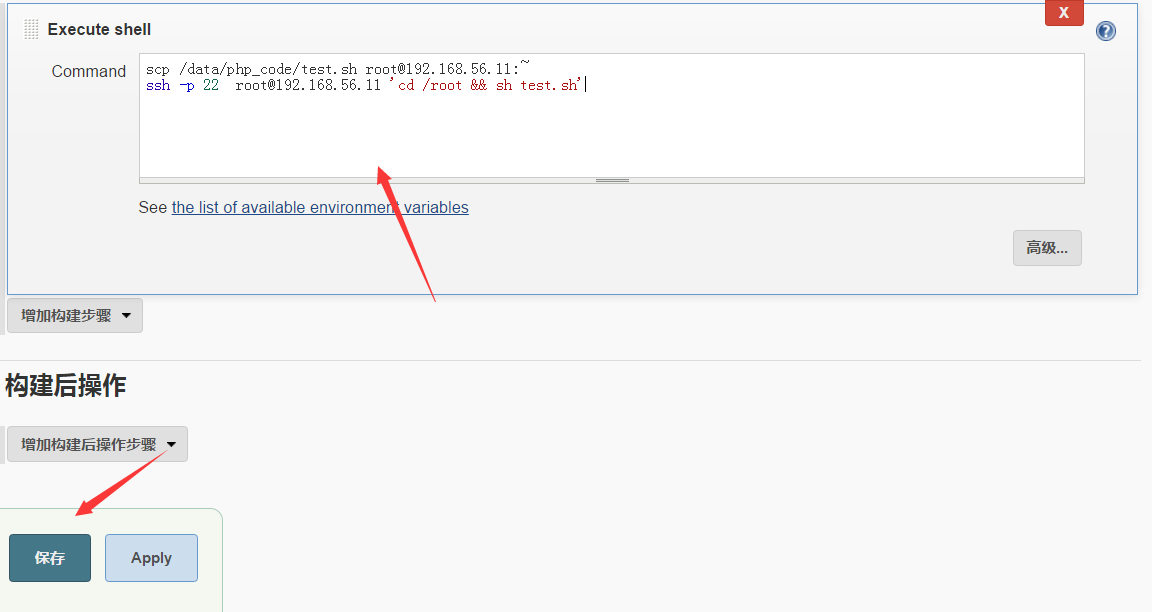
保存后点击立即构建
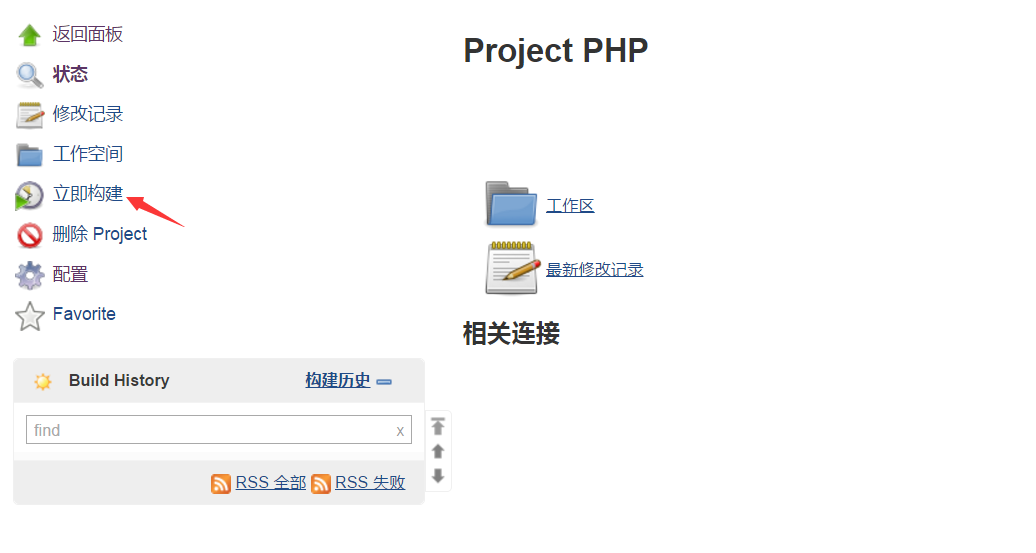
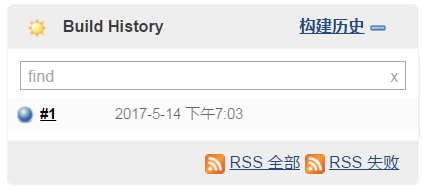
出现下面颜色表示构建成功:
我们来看下控制台输出信息
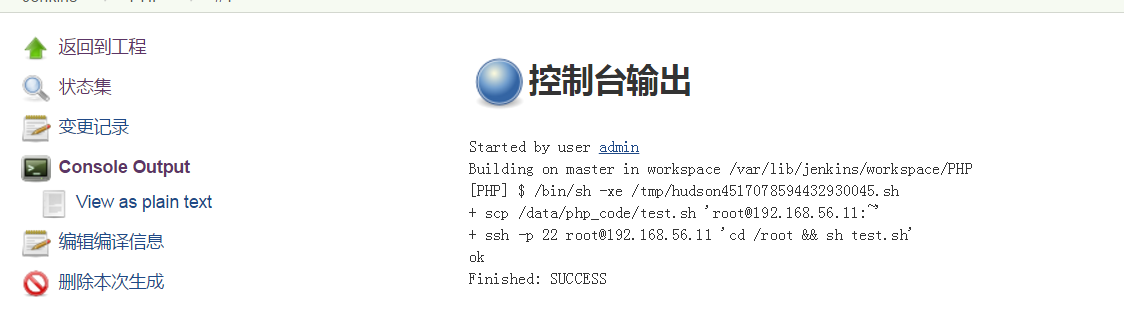
到此,项目构建完成,这是一个很简单的构建,主要是执行脚本,为了简洁我们可以写上一个更新代码的脚本,在构建的时候让他远程执行来更新代码即可。
神回复
发表评论:
◎欢迎参与讨论,请在这里发表您的看法、交流您的观点。